
Download Speedy Report Client – SQL database reports, lightweight reporting tool, efficient data analysis, mobile reporting app, seamless integration with Speedy Report
Overview
The Speedy Report Client is a specialized mobile tool designed to enhance the functionality of the Speedy Report application. Its primary purpose is to provide users with swift and efficient access to SQL database reports directly from their mobile devices. By acting as a complementary add-on, the client streamlines the reporting workflow, allowing professionals to view, manage, and analyze data on the go. This app is particularly valuable for individuals and teams in data-driven environments who require timely access to structured reports without relying on desktop systems.
It addresses the common challenge of limited mobility in reporting processes by enabling real-time access to SQL-generated reports. Users can retrieve critical insights from their databases without the need for complex setup or high computational power. The target audience includes business analysts, field technicians, and administrative staff who depend on consistent and accurate reporting for decision-making. While the developer, Speedy Report, is known for creating productivity-focused tools, no additional background information was provided beyond the app’s name and function.
Real-world use cases include remote monitoring of sales data, inventory tracking, and operational performance reviews. In such scenarios, the app’s ability to operate efficiently on mobile devices proves essential. Its presence in the mobile productivity ecosystem underscores the growing demand for lightweight, task-specific tools that integrate smoothly with existing software systems.
Key Features & Functionality
- Lightweight Performance: The app is engineered to consume minimal system resources, ensuring it operates smoothly even on older or low-end Android devices. This allows users to run the client alongside other applications without experiencing lag or performance degradation.
- Seamless Integration with Speedy Report: Designed to work exclusively with the Speedy Report application, the client enables instant access to reports created within the main app. This integration eliminates the need for manual data transfers or duplicate entries, enhancing workflow continuity.
- User-Friendly Interface: The interface is built with simplicity and efficiency in mind, featuring intuitive navigation and clear visual cues. New users can quickly understand how to access and view reports without requiring formal training or extensive documentation.
- SQL Database Compatibility: The client supports direct access to reports generated from SQL databases, making it a practical solution for users managing structured data. This feature allows for rapid data retrieval and analysis, crucial in time-sensitive business operations.
- Minimal Installation Footprint: With a file size of just 1.5 MB, the app installs quickly and takes up negligible storage space. This makes it ideal for users with devices that have limited internal memory or those who prefer to keep their app library lean.
For example, a field manager can use the app to pull up daily sales reports from a central SQL database during client visits, enabling immediate follow-up actions. Similarly, a data coordinator can verify report accuracy across multiple locations without needing to return to a desktop environment.
Interface, UX & Performance
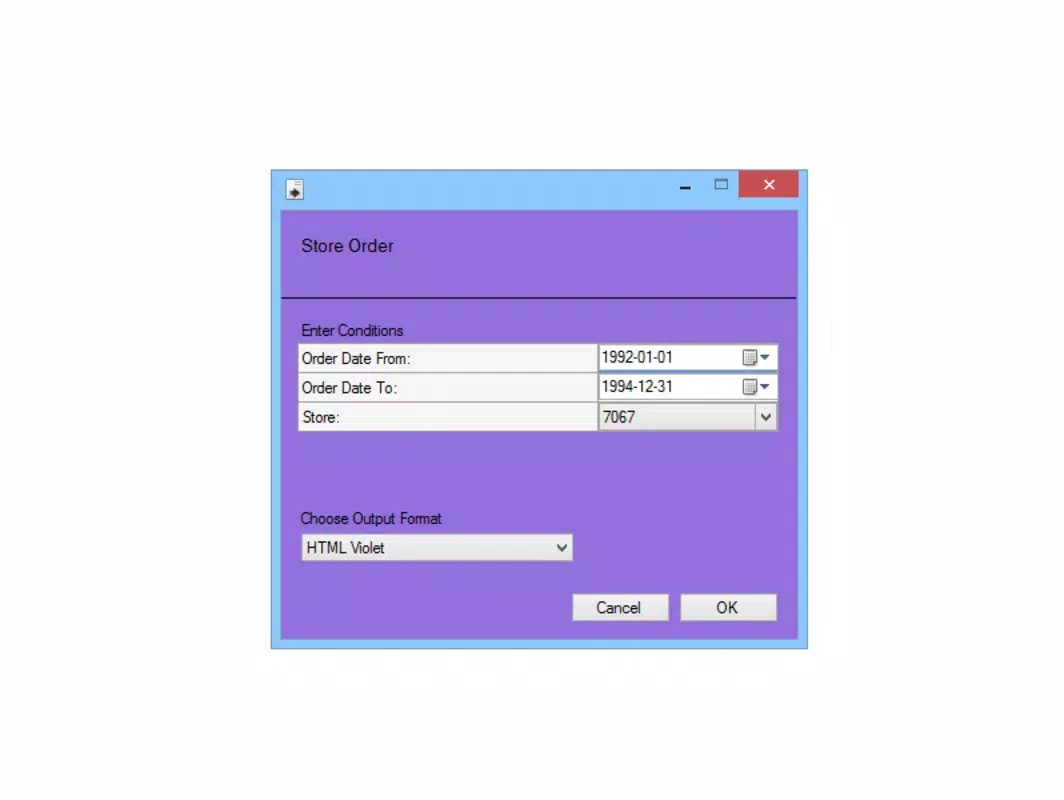
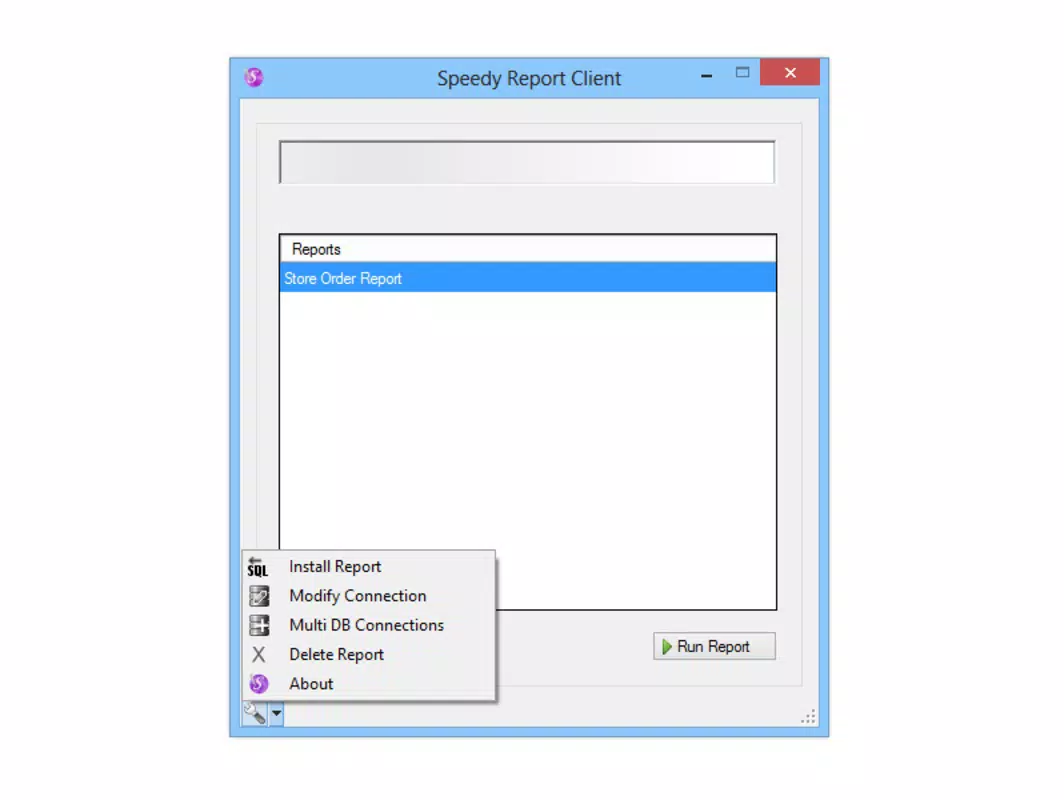
The Speedy Report Client features a clean, minimalistic interface optimized for readability and ease of navigation. The layout prioritizes quick access to report lists and key metadata, reducing the number of taps required to view a report. Visual design elements are straightforward, avoiding clutter and focusing on functionality over aesthetics.
Navigation is linear and predictable, with consistent placement of controls and clear labeling. Users can expect a smooth experience when switching between reports or returning to the main screen. The app responds promptly to user inputs, suggesting efficient handling of data and UI rendering.
Although the developer did not list formal performance metrics, the app’s lightweight nature and minimal resource usage imply stable operation across various Android device categories. It is designed to function reliably on both newer and legacy devices, maintaining responsiveness even under moderate system load. Stability appears to be a core design goal, as the app does not require frequent restarts or clearing of cache to maintain performance.
Platform Compatibility & Technical Requirements
Speedy Report Client is available exclusively on the Android platform. It requires Android OS, though specific version requirements were not listed. The app has a file size of 1.5 MB, which is exceptionally small for a functional mobile application, indicating a streamlined codebase and minimal dependencies.
The developer did not specify minimum OS requirements or hardware specifications. As such, compatibility with specific Android versions or device types remains unclear. However, the app’s lightweight design suggests it is likely to function on a broad range of Android devices, including those with older operating systems.
Pros and Cons
- Extremely small file size (1.5 MB), ideal for low-storage devices
- Minimal system resource consumption, ensuring smooth multitasking
- Seamless integration with the Speedy Report application
- Simple, intuitive interface suitable for non-technical users
- Free to download and use with no in-app purchases
- Requires the Speedy Report app to function, limiting standalone use
- No official support for iOS or other platforms
- Specific OS version requirements not disclosed
- Limited to SQL database reports; no support for other data formats
- Developer did not provide update frequency or future roadmap
FAQ
Is Speedy Report Client free to download?
Yes, the app is available at no cost. There are no in-app purchases or subscription fees associated with its use.
Does Speedy Report Client work independently?
No. The client is designed to function only in conjunction with the Speedy Report application. It cannot operate as a standalone tool.
What type of database does the app support?
The app is compatible with SQL databases, enabling users to access and view reports generated from these sources.
Is the app safe to install on Android devices?
Yes, the app is available through official Android channels and has a minimal footprint, reducing potential security risks. However, users should ensure they download it from trusted sources.
Can I use this app on iOS devices?
Currently, the app is only available for Android. There is no official version for iOS or other platforms.
Final Thoughts
Speedy Report Client stands out as a focused, efficient solution for users who rely on SQL-based reporting and need mobile access to their data. Its lightweight design, seamless integration with Speedy Report, and minimal system impact make it a practical tool for professionals seeking productivity without compromise. While its functionality is limited to a specific ecosystem, this specialization enhances reliability and performance.
For business analysts, field staff, and administrative teams who require quick access to structured reports, this app delivers tangible value. It exemplifies how small, well-designed tools can significantly improve workflow efficiency in data-centric environments.
Download Speedy Report Client now


